Accordion Agenda Guide
Reviewers can see the suite's current status, review priorities, and next steps.
Printable references
The online guide is the current and authoritative version. For a focused handout, open the Accordion Agenda Quick Start or Final Publication Checklist and select Print this page. The print dialog can also save a PDF. We are considering prepared accessible PDFs for these short references rather than a duplicate PDF of the complete guide. Reviewer feedback about that approach is welcome.
On an iPad or iPhone, use the browser's Share button in the toolbar, then select Print. The How to print button displays this reminder.
Before you begin
Who should use this guide: An authorized Group or District Administrator responsible for meeting agendas.
Required access: Group Administrator access to the Board or committee group that owns the agenda.
Recommended starting point: Use an approved reusable template and work in Draft Mode until review is complete.
Recommended workflow
- Open Drafts & Templates.
- Clone the approved template for the meeting type.
- Update the title, date, time, header, and placeholder content.
- Actively select the correct Group.
- Work in Draft Mode: Private, Notifications unchecked, Published unchecked.
- Save frequently and review the saved agenda.
- Build or update sections, agenda items, expandable HTML, and attachments.
- Verify public and private content.
- Publish, send the intended notifications, and verify the signed-out public view.
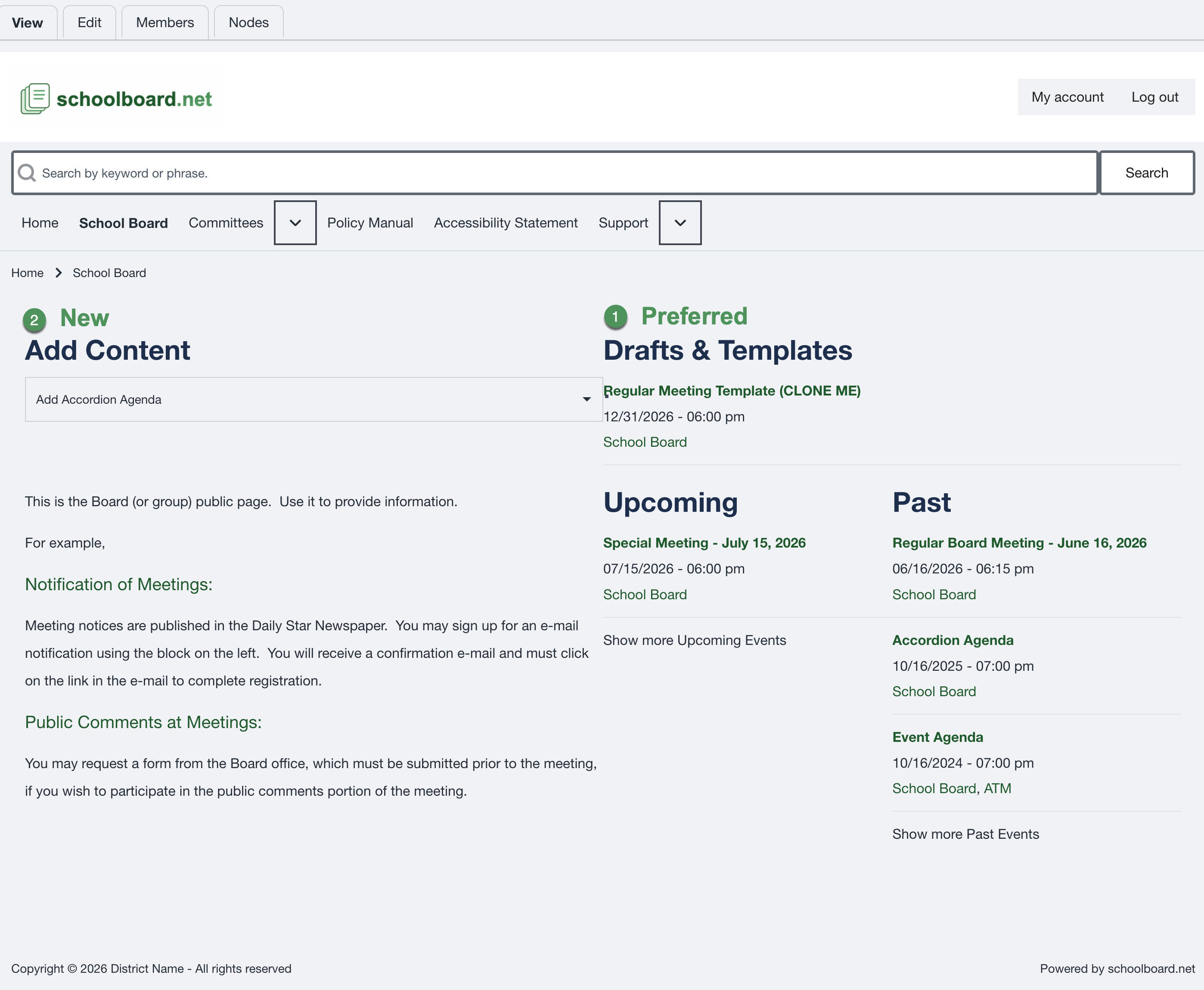
Figure SB-AAC-001. Clone an approved template whenever possible.
Preferred method
Clone the appropriate meeting template. Use Add Content to build from scratch only when no suitable template exists.
Ask before guessing
Stop and ask whenever Group assignment, visibility, publication, notifications, or confidential attachments are unclear. There are no stupid questions.
Start here
- Understand edit locks and safe agenda editing
- Work safely in Draft Mode
- Clone and organize templates
- Understand agenda anatomy
- Edit the agenda after cloning
- Create sections and Agenda Items
- Add Expandable HTML and manage section controls
- Add and organize attachments
- Replace attachments or change access
- Publish and verify the agenda
- Manage notifications and revisions
- Review best practices and the final checklist
- Troubleshoot problems and get help
- Use the one-page Accordion Agenda Quick Start
- Use the one-page Final Publication Checklist
- Conventions used in this guide