Accordion Sections and Agenda Items
Build an agenda one Accordion Section at a time. Each section contains one or more Agenda Items.
Add an Accordion Section
- Open the agenda for editing.
- Go to the location where the section should appear.
- Select Add Accordion Section.

Figure SB-AAC-011A. Add an Accordion Section to the agenda.
- Enter a concise Section Title.
- Add the Agenda Item content beneath it.
- Add supporting material when needed.
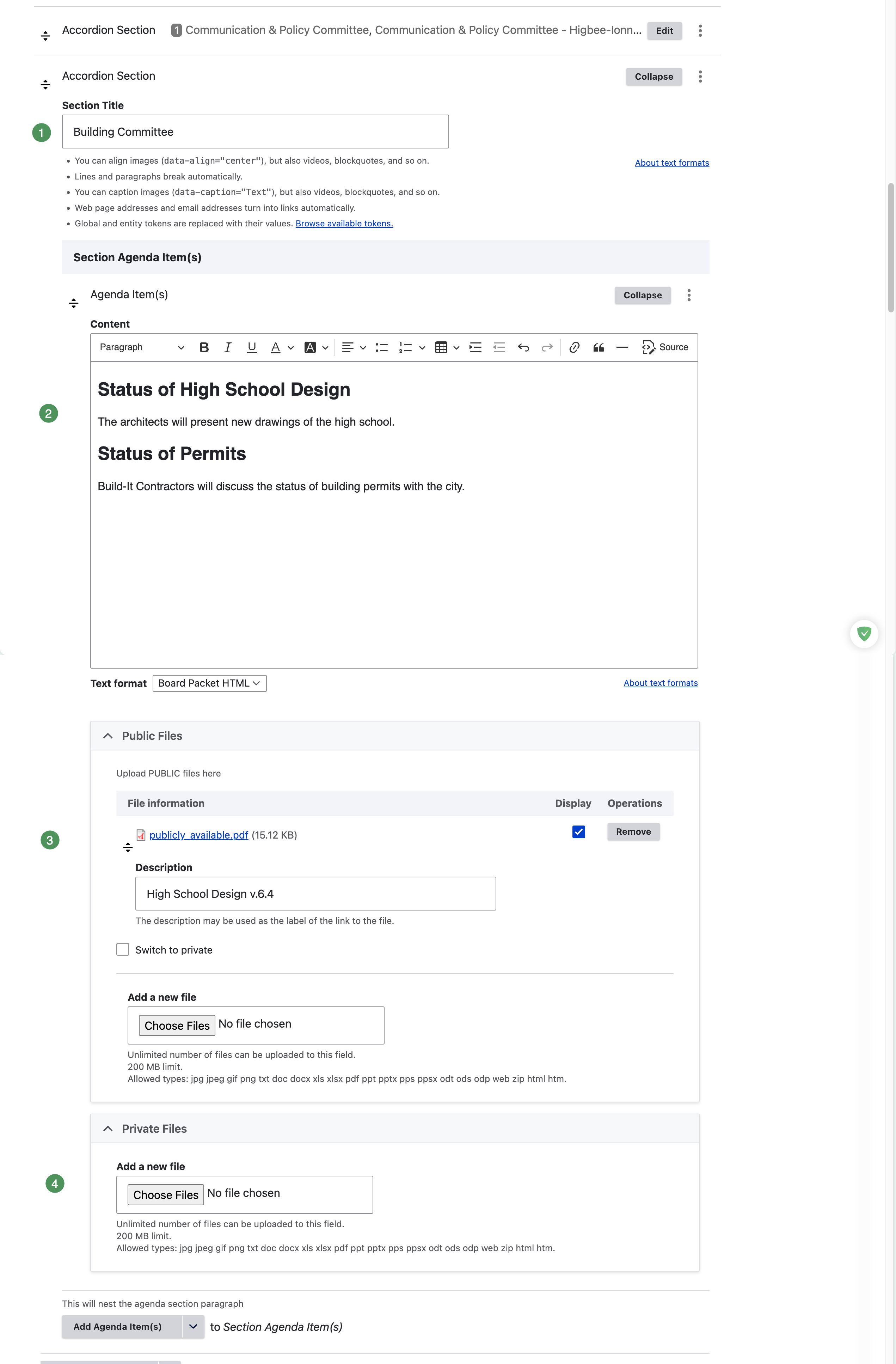
Figure SB-AAC-011B. Complete the new Accordion Section.
Numbered section fields
- Section Title — the heading visitors select to expand or collapse this part of the agenda.
- Agenda Item content — the matters, reports, motions, resolutions, or discussion text.
- Public Files — attachments available to everyone after publication.
- Private Files — attachments available only to authorized Group members.
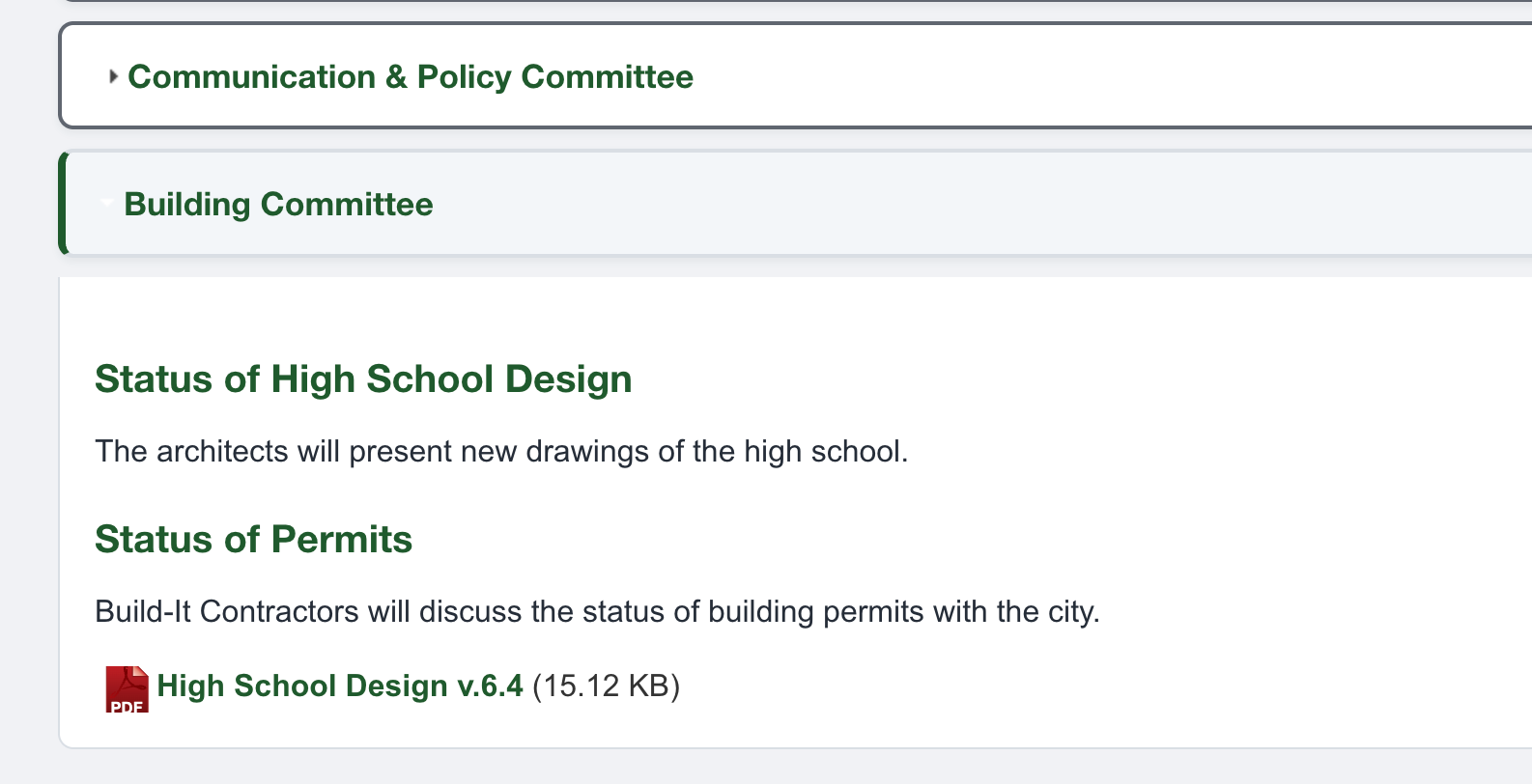
Figure SB-AAC-011C. A saved Accordion Section.
Edit an Agenda Item
Select Edit beside the section. The editor displays the section title and its nested Agenda Items.
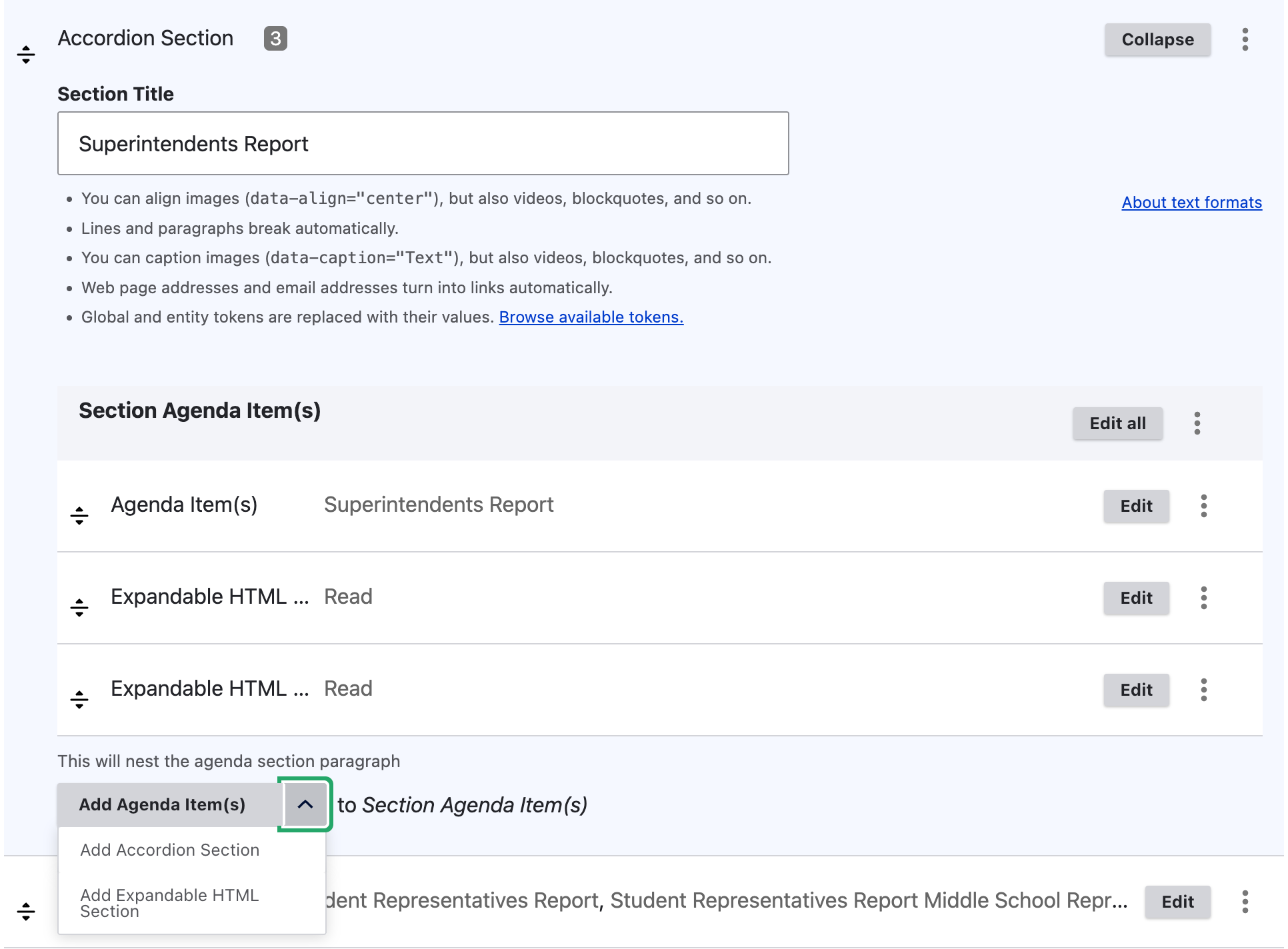
Figure SB-AAC-003. Edit the section and add nested content.
The Add Agenda Item(s) menu lets you add an Agenda Item or Expandable HTML. An Agenda Item may contain several headings or paragraphs when they belong to the same matter. Create a separate Agenda Item when material needs its own attachments or independent management.
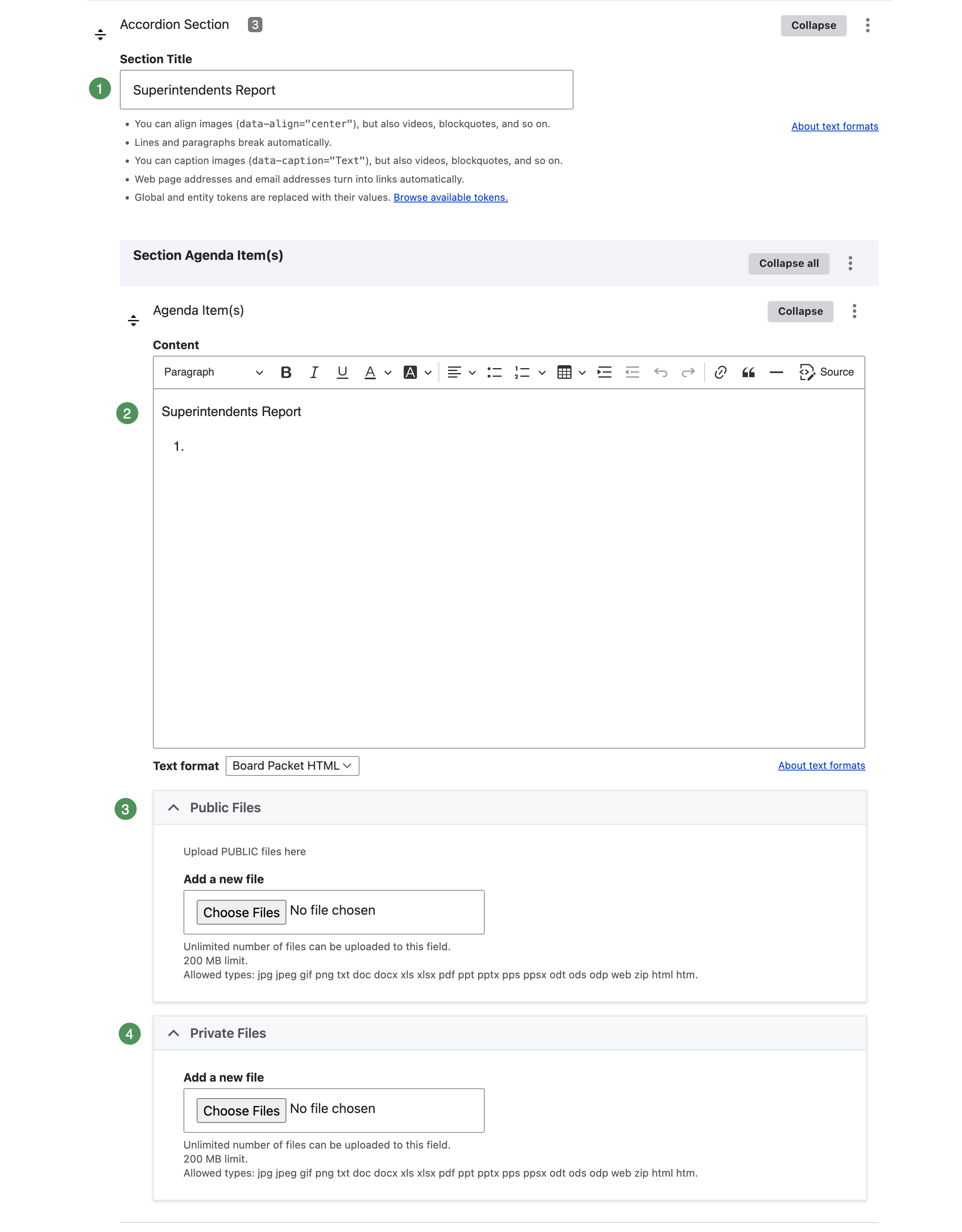
Figure SB-AAC-004. Edit an Agenda Item and its supporting files.
Numbered Agenda Item fields
- Section Title — identifies the parent Accordion Section.
- Content — contains headings, descriptions, motions, resolutions, reports, or discussion text.
- Public Files — attachments available to everyone after publication.
- Private Files — attachments restricted to authorized Group members.
Keep Text format set to the district's approved format unless schoolboard.net Support directs otherwise.
Supporting material belongs to the Agenda Item
Public Files, Private Files, Public Expandable HTML, and Private Expandable HTML belong beneath an Agenda Item. Verify their position before saving.