Notifications and Revisions
Use revisions to preserve a change record and explain updates after publication.
Revise a published agenda
- Open the current published agenda for editing.
- Make the approved changes.
- Select Create new revision.
- Enter meaningful Revision Text.
- Confirm visibility, notification audience, publication, and Group.
- Save.
- If Notifications was selected, immediately reopen the agenda, clear Notifications, and save again.
- Reopen and verify the newest revision.
Good Revision Text is brief and specific:
- Section 5: Minutes updated
- Section 11: Administrative Reports added
- Building Committee attachment replaced
Avoid vague entries such as updated or changes.
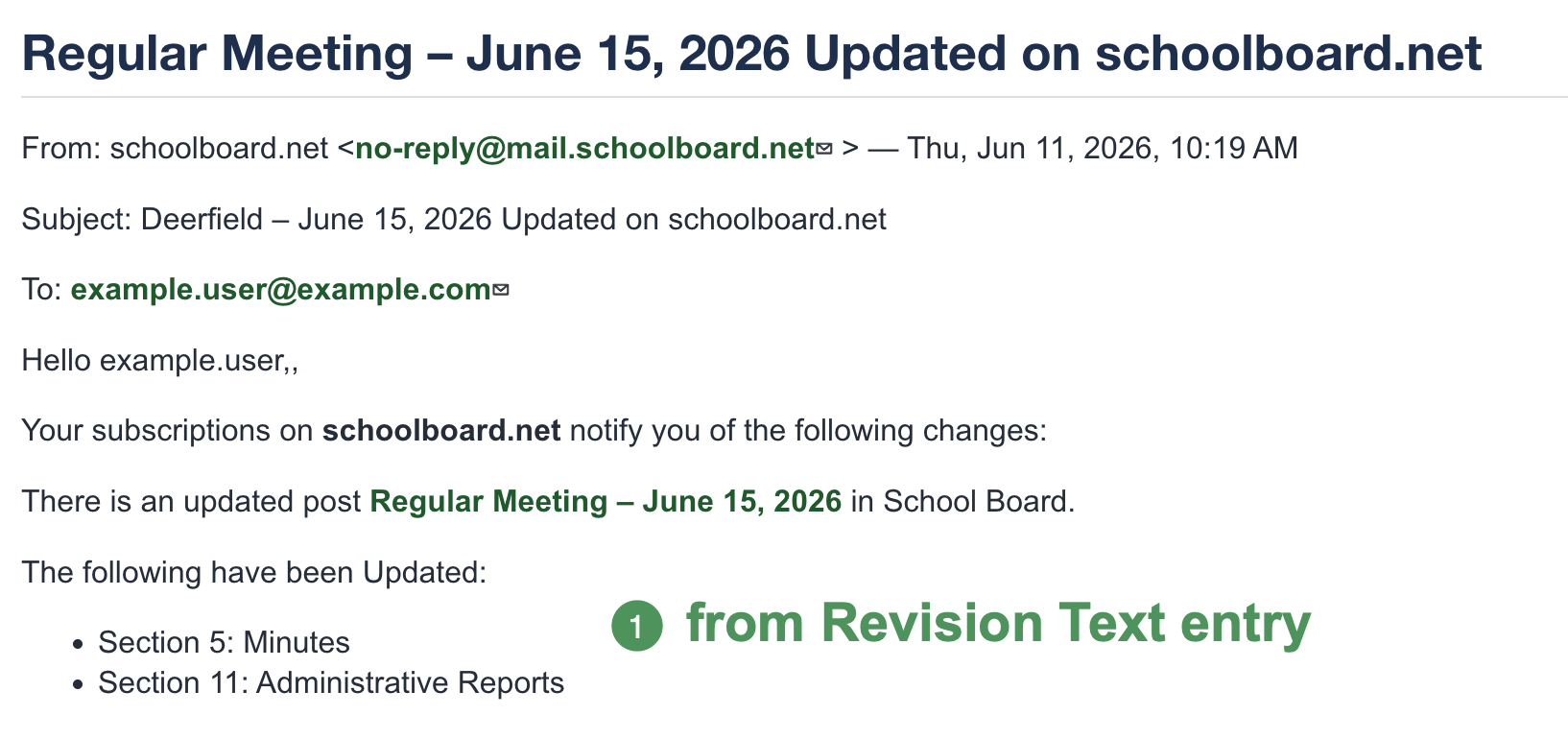
Figure SB-AAC-007. Revision Text tells Group members what changed.
The numbered callout identifies the Revision Text included in the Group-member notification.
Use the newest revision
When several entries share a title, use the Updated date and time to select the most recent revision. Do not delete older entries until the current published version is confirmed.
Notifications require a deliberate send
Select Notifications only for the save that should send a notice. After sending, immediately clear Notifications and save so a later edit does not accidentally send another notice.
Notify Group members without notifying the public
- Edit the agenda and make the approved change.
- Create a new revision and enter meaningful Revision Text.
- Set Visibility to Private.
- Select Notifications and save to notify Group members.
- Reopen the agenda.
- Restore Visibility to Public.
- Leave Notifications unchecked and save again.
- Sign out and verify that the agenda is public.
Do not leave the agenda Private
Complete the second save that restores Public visibility, then verify the signed-out view.
Revision checklist
- [ ] The newest revision was edited and reviewed.
- [ ] Revision Text explains the change.
- [ ] Notifications were selected only for the intended audience and save.
- [ ] Notifications were cleared and saved immediately after the intended notice was sent.
- [ ] Final Visibility is Public when the agenda should be public.
- [ ] Published remains selected.
- [ ] The signed-out agenda works correctly.