People and users
The People page displays usernames, status, roles, account age, last access, and available operations.
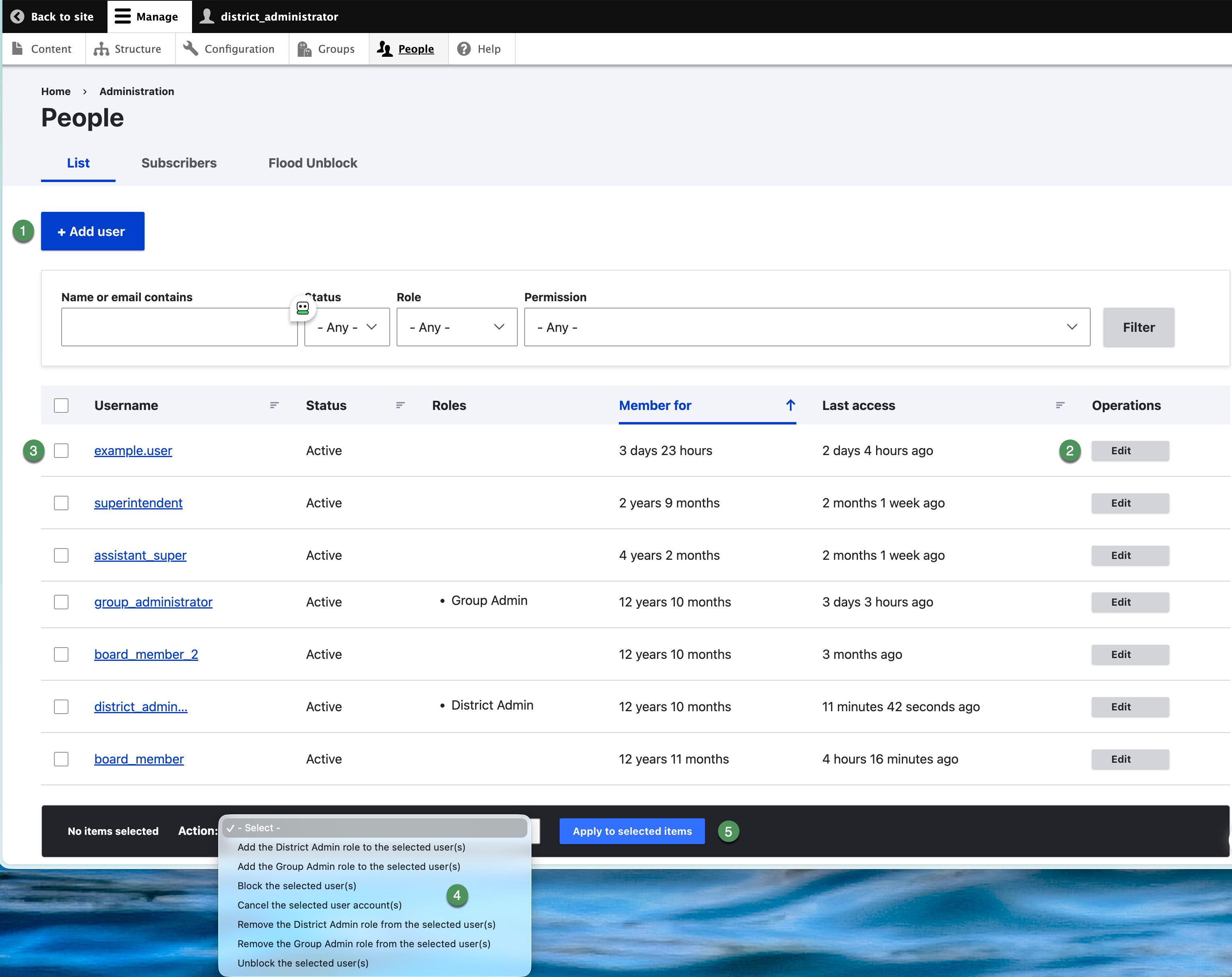
Figure SB-DST-004. People list and account controls.
Find an account
- Enter part of the username or email address in Name or email contains.
- Optionally select a Status, Role, or Permission filter.
- Select Filter.
- Confirm the username, status, roles, and last access before editing.
Work safely
- Select the username to review an account.
- Select Edit in Operations to change one account.
- Select checkboxes only when applying a bulk action.
- Confirm the selected-account count before applying an action.
- Do not cancel accounts until the district approves when cancellation is appropriate.