Block and restore access
Blocking is the recommended procedure when access must be suspended but the account and history should be retained.
Block accounts
- Open People and find the user.
- Confirm the username and current Active status.
- Select the correct account checkbox.
- Select Block the selected user(s) from Action.
- Confirm that only intended accounts are selected.
- Select Apply to selected items.
- Refresh or filter the list and verify Blocked status.
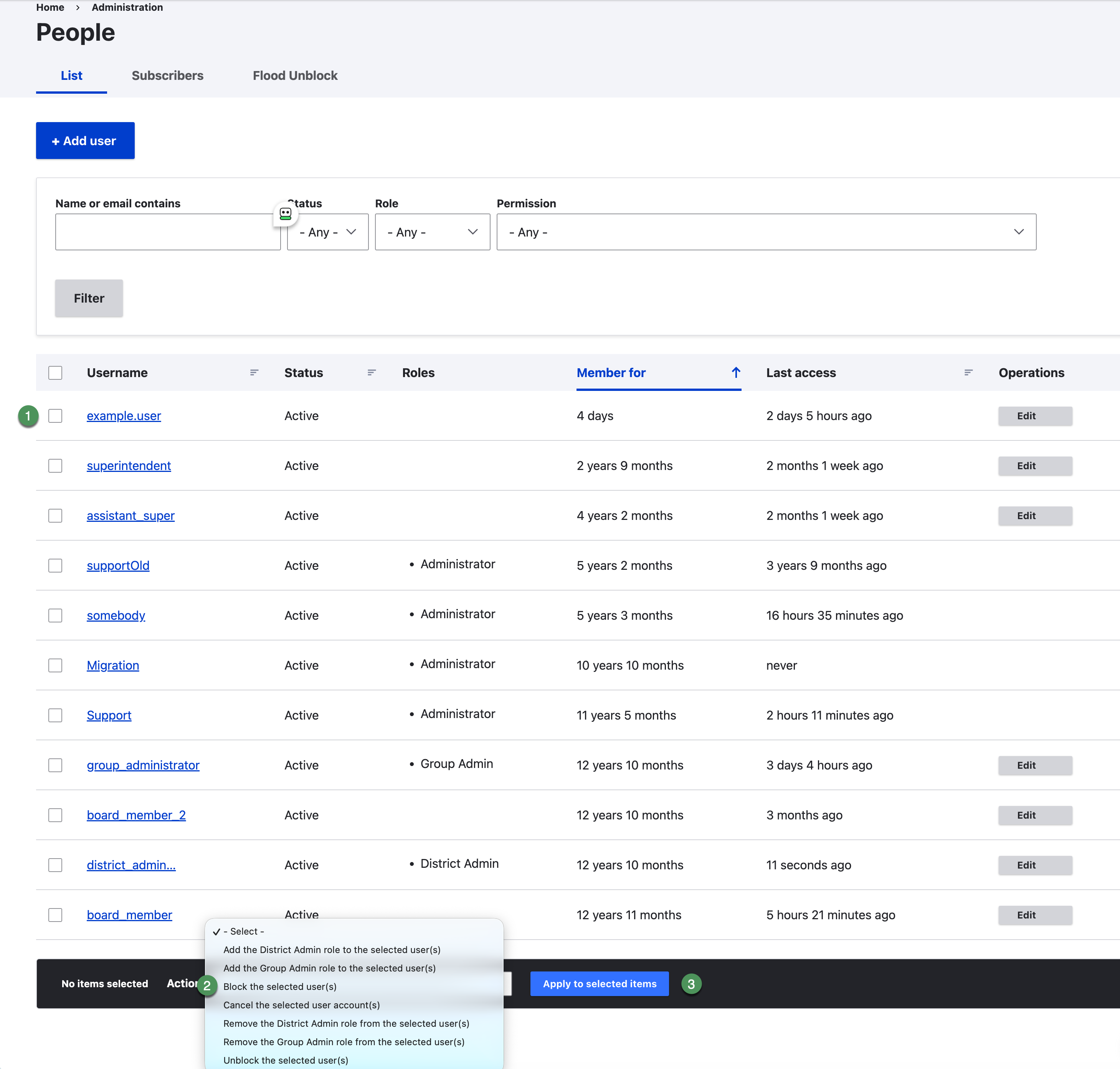
Figure SB-DST-022. Block selected user accounts.
Restore access
Use Unblock the selected user(s) only after approval. Review roles and group memberships before unblocking.
Offboarding sequence
- Block the account promptly.
- Remove unnecessary Group Administrator access and email schoolboard.net Support when the District Administrator role must be removed or modified.
- Remove group memberships when approved.
- Preserve or reassign content according to district policy.
- Cancel the account only when an approved procedure requires it.